Command line (aop)
PulseAd’s command line is aop (also aop-hermes) — the Agentic Operations
CLI that staff use to drive Amazon ad accounts from a terminal. It gives each brand
a workspace wired to the Pulse Library, the AOP Memory API, Snowflake/Aurora,
and the bundled Amazon Ads / AMC / analytics tools.
Install
Section titled “Install”aop is installed with uv from GitHub. Prerequisites: uv, Python 3.11
(managed by uv), and a local Pulse Library (the Obsidian vault with
docs/<BRAND_CODE> folders) set up first.
# 1. install uv (if you don't have it)curl -LsSf https://astral.sh/uv/install.sh | sh
# 2. install the aop CLI from GitHub mainuv python install 3.11uv tool install --python 3.11 "git+https://github.com/PulseAd/aop-hermes.git@main"uv tool update-shell        # put `aop` on PATH, then open a new shell
# 3. verifyaop --versionaop --help
State lives under $AOP_HOME (default ~/.aop-hermes): launcher.json (Pulse
Library root), shared.env (Memory API + Snowflake/Aurora), workspaces.json, the
model home, and .secrets/. Per-brand workspaces live under ~/aop-workspaces/<BRAND_CODE>.
Upgrades: aop update (self-updates a uv tool install from main). Remove with
uv tool uninstall aop-hermes — note aop clean resets state but keeps the binary.
Connect
Section titled “Connect”One command wires everything up: aop setup. It walks three sections, then
registers the shared GENERAL workspace and runs doctor.
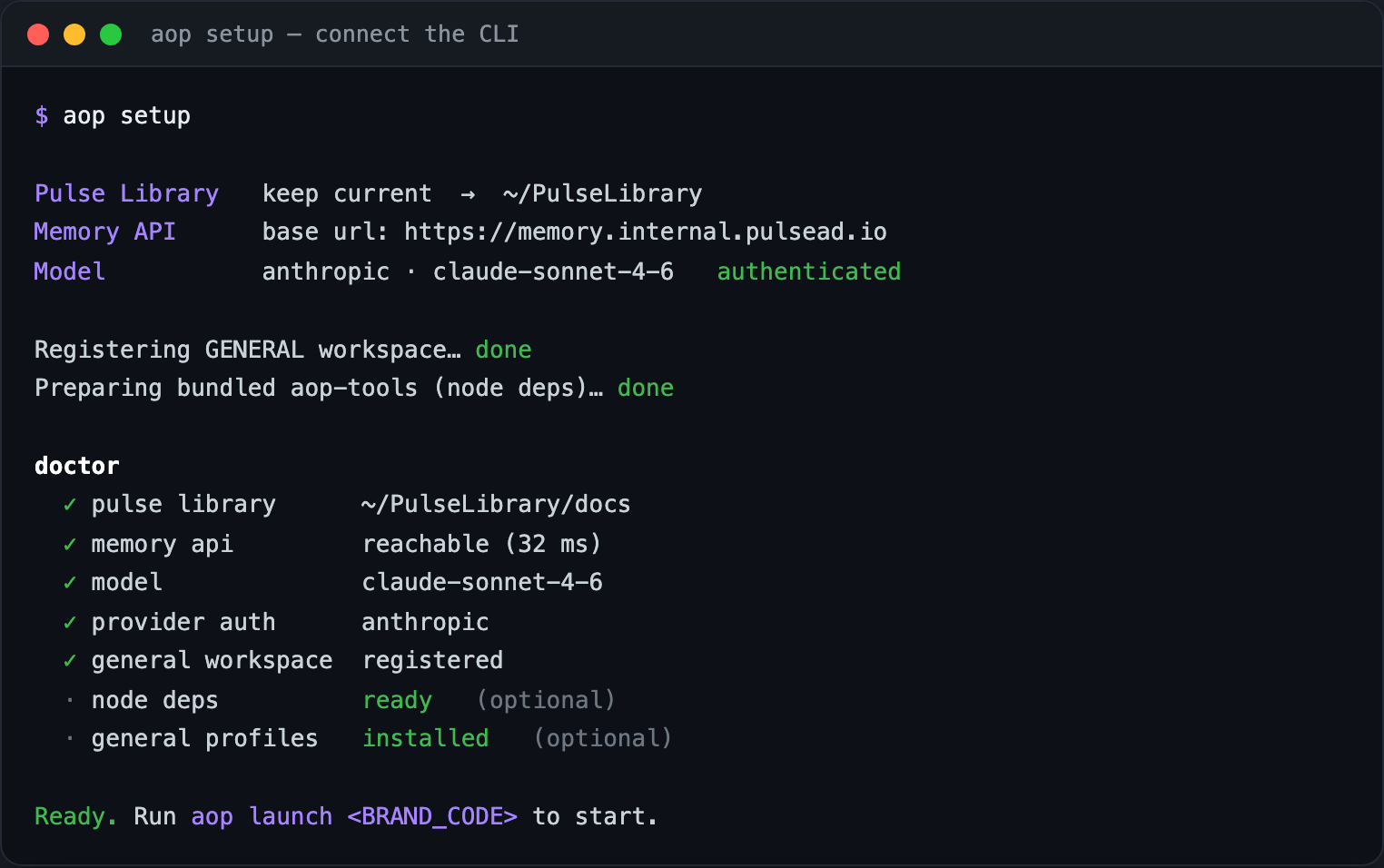
What it connects:
- Pulse Library — where the brand docs live (
docs/<BRAND_CODE>); saved tolauncher.json. - AOP Memory API — base URL + API key (the brand-memory backend); saved to
shared.env. - Model / provider / auth — pick a provider + model and authenticate (managed by Hermes).
aop setup                      # interactive: pulse-library + memory + model, then doctoraop setup --json               # status check only — print the doctor report, no prompts
# reconfigure one piece at a timeaop setup pulse-libraryaop setup memory --base-url https://memory.internal.pulsead.io --api-key <KEY>aop setup model # opens the model pickerLaunch & workspaces
Section titled “Launch & workspaces”Run aop with no arguments for the interactive launcher, or launch a brand directly.
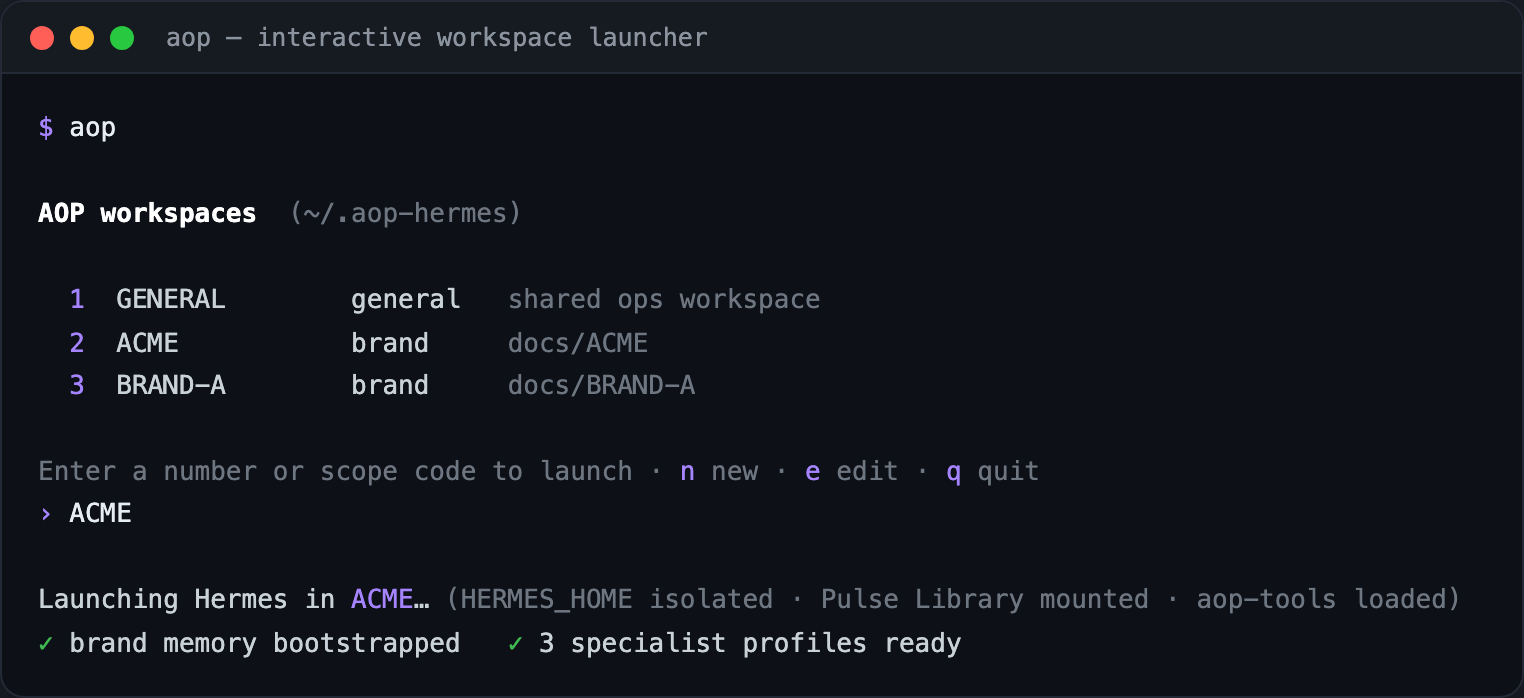
aop # interactive launcher — pick or create a workspaceaop launch ACME # launch directly into the ACME brand workspaceaop launch ACME -- <hermes args> # pass extra args through to Hermesaop launch ACME --no-update # skip the self-update preflightWorkspaces come in two kinds: general (the shared GENERAL workspace) and
brand. A brand’s scope code is normalized (uppercased, e.g. ACME), maps to
docs/<BRAND_CODE> in the Pulse Library, and gets its own isolated HERMES_HOME
so logs/state/config stay separate per brand. On first launch, brand specialist
profiles and brand memory are set up automatically.
Command reference
Section titled “Command reference”▸Get started
Open the interactive workspace launcher
Version / full command surface
--json--pulse-library-root Configure pulse-library + memory + model, register GENERAL, run doctor
Reconfigure just that piece
◆Launch & workspaces
--kind--profile--home--auto-create--no-update Launch Hermes in a workspace
--all--json List workspaces
--kind brand|general--display-name--profile… Create a workspace
Inspect / edit / archive / restore a workspace
⦿Connect
--scope--json Check the AOP Memory API
--base-url--api-key Save Memory API settings
Show the source home and its global model
--provider Set / interactively edit model + auth
❖Profiles & skills
Manage bundled specialist profiles
Sync bundled PulseAd skills into profiles
↻Maintain
--check Self-update the CLI from GitHub main, then sync skills
Show / perform a reset of $AOP_HOME + AOP workspaces
What it connects to
Section titled “What it connects to”- Pulse Library — brand docs at
<root>/docs/<BRAND_CODE>, mounted into each workspace asWIKI_PATH. - AOP Memory API — the brand-memory backend (bootstrap, brand context, tasks,
inbox), surfaced to agents as
aop-memorytools. - Snowflake (
SNOWFLAKE_*+ an RSA key) and Aurora/MySQL (AURORA_*) — for the analytics tools. - Bundled
aop-tools— Amazon Ads, AMC, analytics, pacing, RTB, reports, and more (Node + in-process), exposed viaAOP_TOOLS_ROOT. Three catalogs are new since the last docs sync:control-tower,meta-ads(AOP’s first non-Amazon ad channel in the tool surface) andoffamazon. - The AOP server — see below. The CLI is the client half; a separate runtime holds the per-brand profiles it talks to.
The server side (aop-hermes-server)
Section titled “The server side (aop-hermes-server)”aop is the client. Since 2026-06-23 there is also a fleet runtime — a separate
repo and a separate deployment — and most of what an operator experiences as “AOP”
is the two halves together.
The server holds:
- Per-brand profile desired state (
profiles/brands/<BRAND>) — one conversational gateway per brand, rendered from a common base. - A Slack gateway plugin, so a brand’s AOP is reachable from Slack and not only from a terminal.
- Pulse Library read/write/search as native tools, with each brand’s view isolated by a brand-root bind mount — the same scoping rule the CLI applies locally.
- The fleet’s default model. Profiles that pin no model of their own inherit it;
it moved to
openai/gpt-5.6-terraon 2026-07-30. See Model history for that sequence. - Standalone timers for tool-usage reporting and a daily D2C export (Snowflake → a per-brand sheet), plus EC2 deploy/repair scripts.
It is explicitly not the infrastructure repo — it manages the runtime layer that sits on top of stock Hermes.
Other command surfaces (dev / ops)
Section titled “Other command surfaces (dev / ops)”aop is the only installable CLI. The other repos expose repo-local runners and
task-runners for developers and ops, not packaged CLIs:
pulsead-agents— run an agent directly, e.g.python -m agents.campaign_health.pipeline <BRAND>; the ops console is a FastAPI server (uvicorn web.backend.main:app). The weekly-report pipeline used to be runnable the same way; that package was deleted on 2026-06-25 and the job now runs as a summary API instead, soagents.weekly_report.pipelineno longer exists.snowflake-semantic-agent— local dispatch viapython src/main.py <payload.json>(dry-run by default), plusscripts/*.pysmoke/regeneration tools.ai-api— no CLI binary; aMakefile(make dev / test / lint) runs the FastAPI app, and./deploy.shbuilds and deploys it.